Route Recall
How did I get here?
Route Recall records the roads you travel and turns them into timestamped turn-by-turn directions, so you can look back and see exactly where you went.
Getting Started
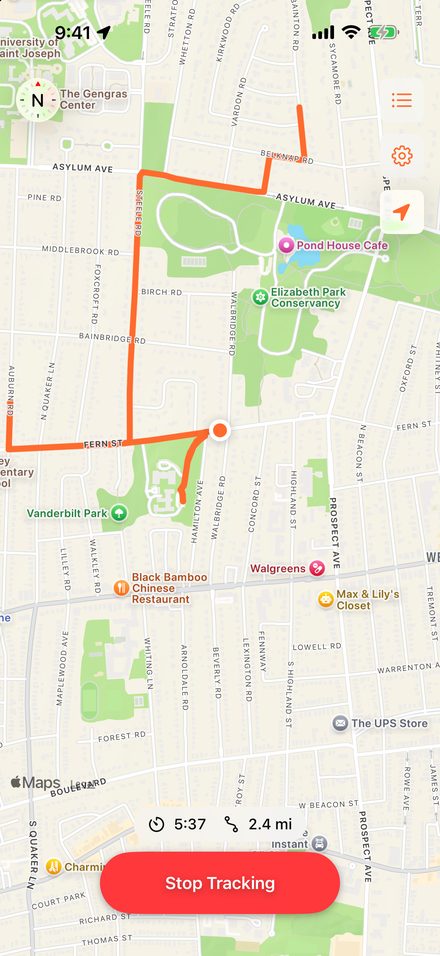
- Tap Start Tracking before you set off. Your route is drawn in orange as you go.
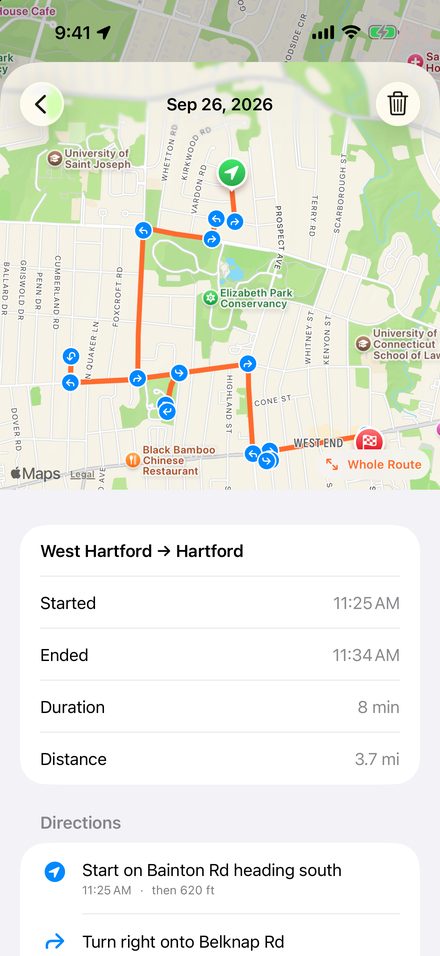
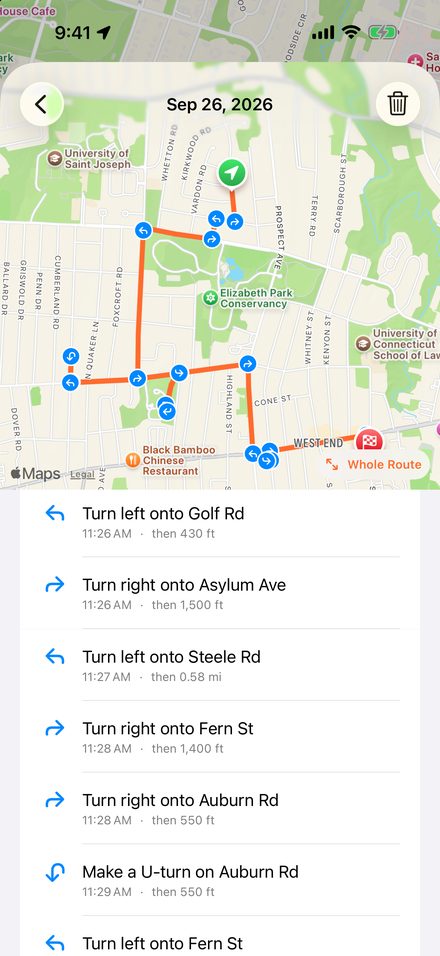
- Tap Stop Tracking when you arrive. The trip is saved, and after a few seconds its directions appear.
- Tap the list button (top right) to see every trip. Open one to see the map and directions, and tap a direction to jump to that spot.
Questions
It says “Waiting for GPS” or didn't record anything.
Open the iPhone Settings app, then Apps → Route Recall → Location. Choose While Using the App and make sure Precise Location is on. Approximate location is only accurate to a few kilometers, which isn't enough to tell which street you're on.
Will it keep recording if I lock my phone or use another app?
Yes. While it's recording, iOS shows the location indicator at the top of the screen. Don't swipe Route Recall away in the app switcher, though: that stops it. If that happens, open it again within 15 minutes and it will offer to continue the same trip.
What do “Recording paused” and “GPS signal lost” mean?
Recording paused means the app was closed for part of the trip. GPS signal lost means your phone couldn't get a good location for a while, for example in a tunnel or parking garage. Either way, that stretch is shown as a dashed gray line, because nobody knows exactly which roads were taken there.
The directions say “Couldn't look up street names.”
Street names come from Apple's mapping service, which needs an internet connection. Tap Try Again once you're back online, or just reopen the app later and it will retry on its own. Your route itself is saved either way.
A turn looks slightly off.
Directions are rebuilt from your GPS trail, not from a planned route, so two turns very close together, or a curving highway ramp, may be simplified into one step. The orange line on the map always shows the path you actually took.
How can I save battery?
In Route Recall's Settings (the gear button), choose a lower accuracy or a larger distance between recorded points. The defaults are a good balance for driving.
How do I delete a trip?
In the trip list, swipe left on a trip, or tap Edit. You can also open a trip and tap the trash button.
Where is my data kept?
Only on your iPhone. There's no account and nothing is sent to me. See the privacy details.
Contact
Found a problem or have a suggestion? Email lessees_26_potters@icloud.com. It helps to include your iPhone model, iOS version, and what happened.